From ceremony start times to reception highlights and vendor arrivals, create timelines to keep everything on track.

A great timeline is more than a list of times. Add the notes, labels, people, vendors, songs, and mini-schedules your team needs to understand what is happening and who is involved.
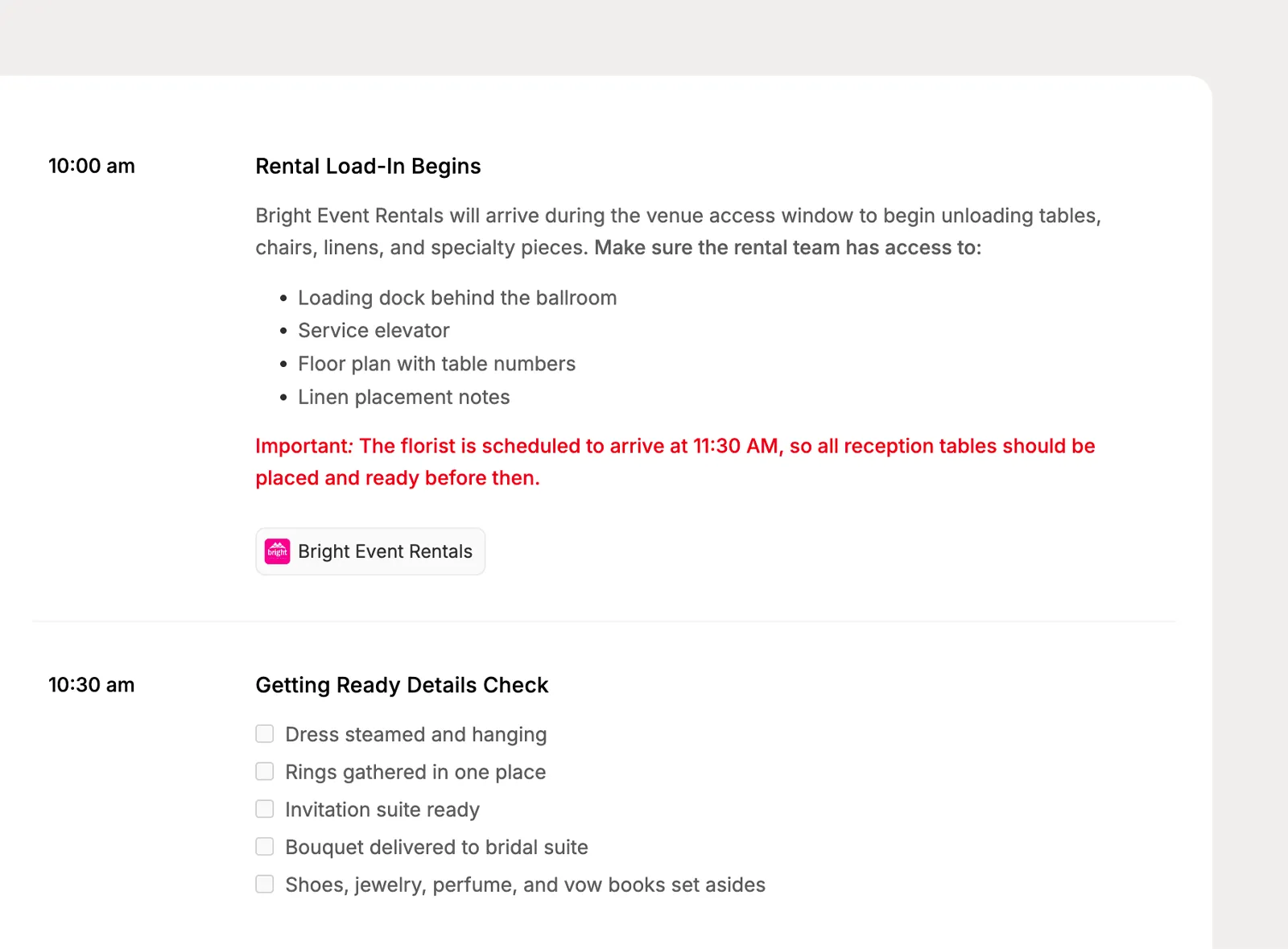
Add rich text notes to timeline items with formatting, lists, and checklists so important instructions stay attached to the moment they belong to.
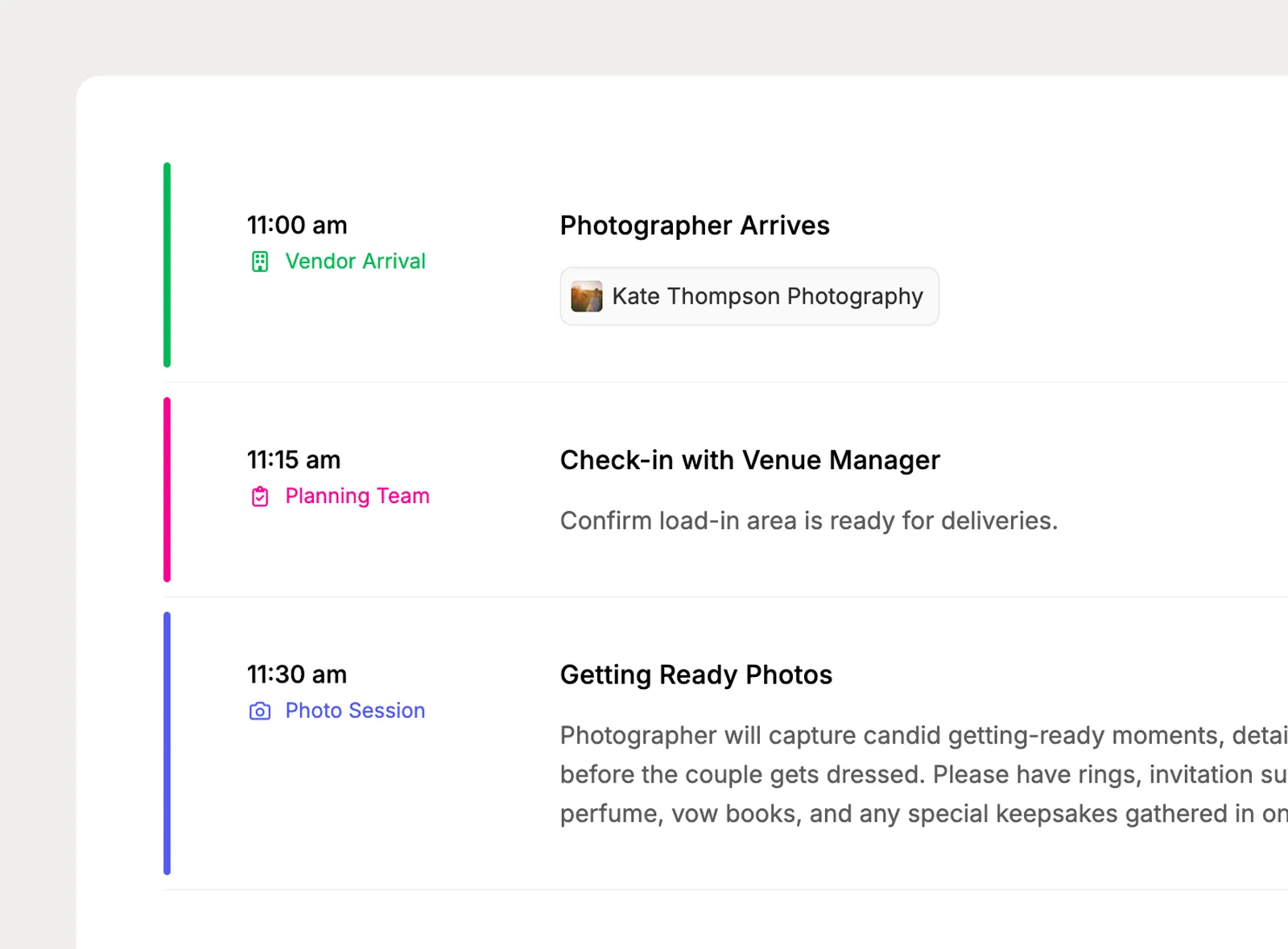
Use company-level highlights to color code important timeline moments, and add category badges from the Planpage category library for quick context.
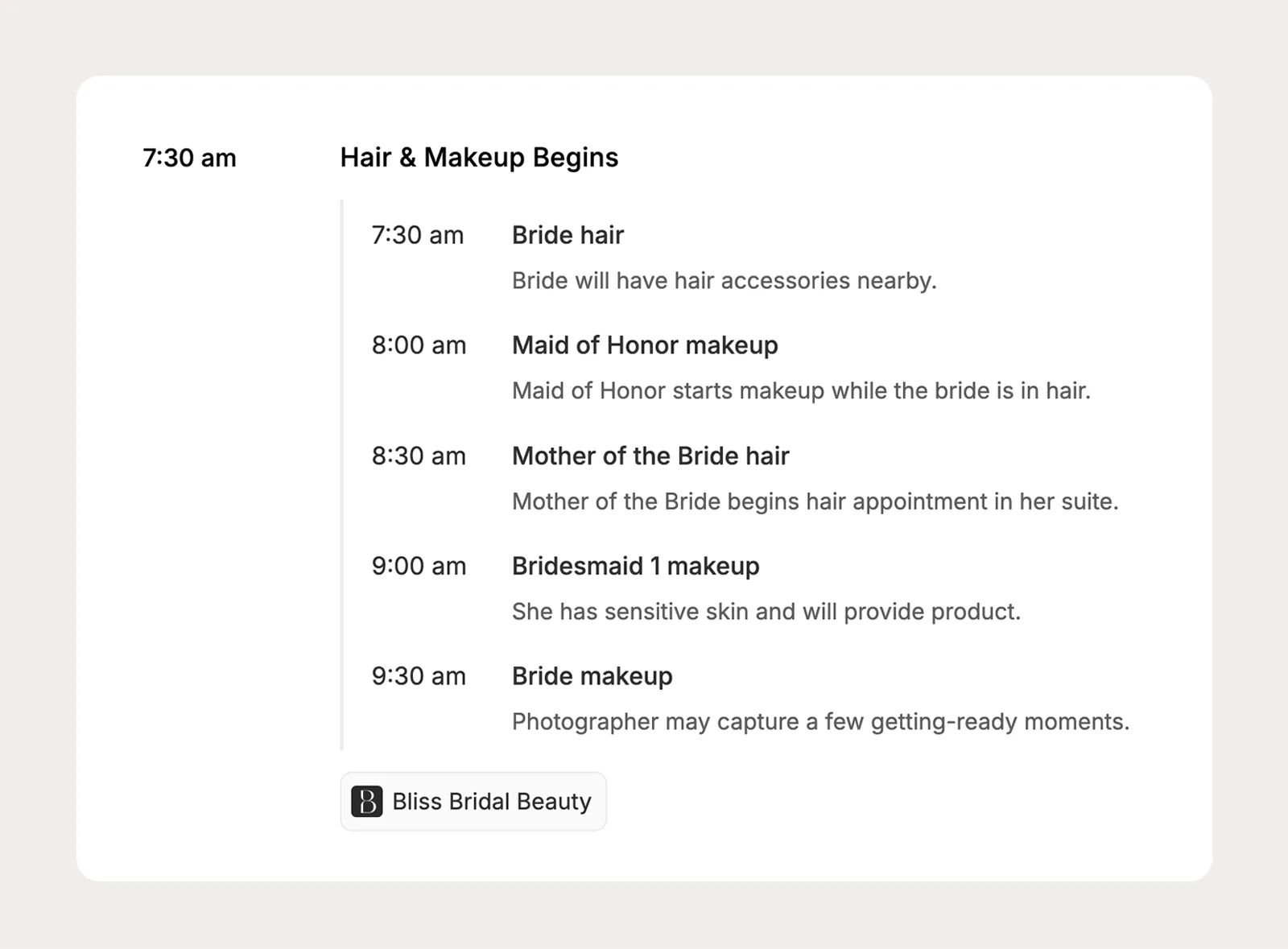
Break a timeline item into ordered or timed sub-items for details like hair and makeup, processional order, transportation, setup sequences, or photo moments.
Connect songs to the exact timeline moments that need them, then keep those selections organized on the Music page for planners and clients to complete together.
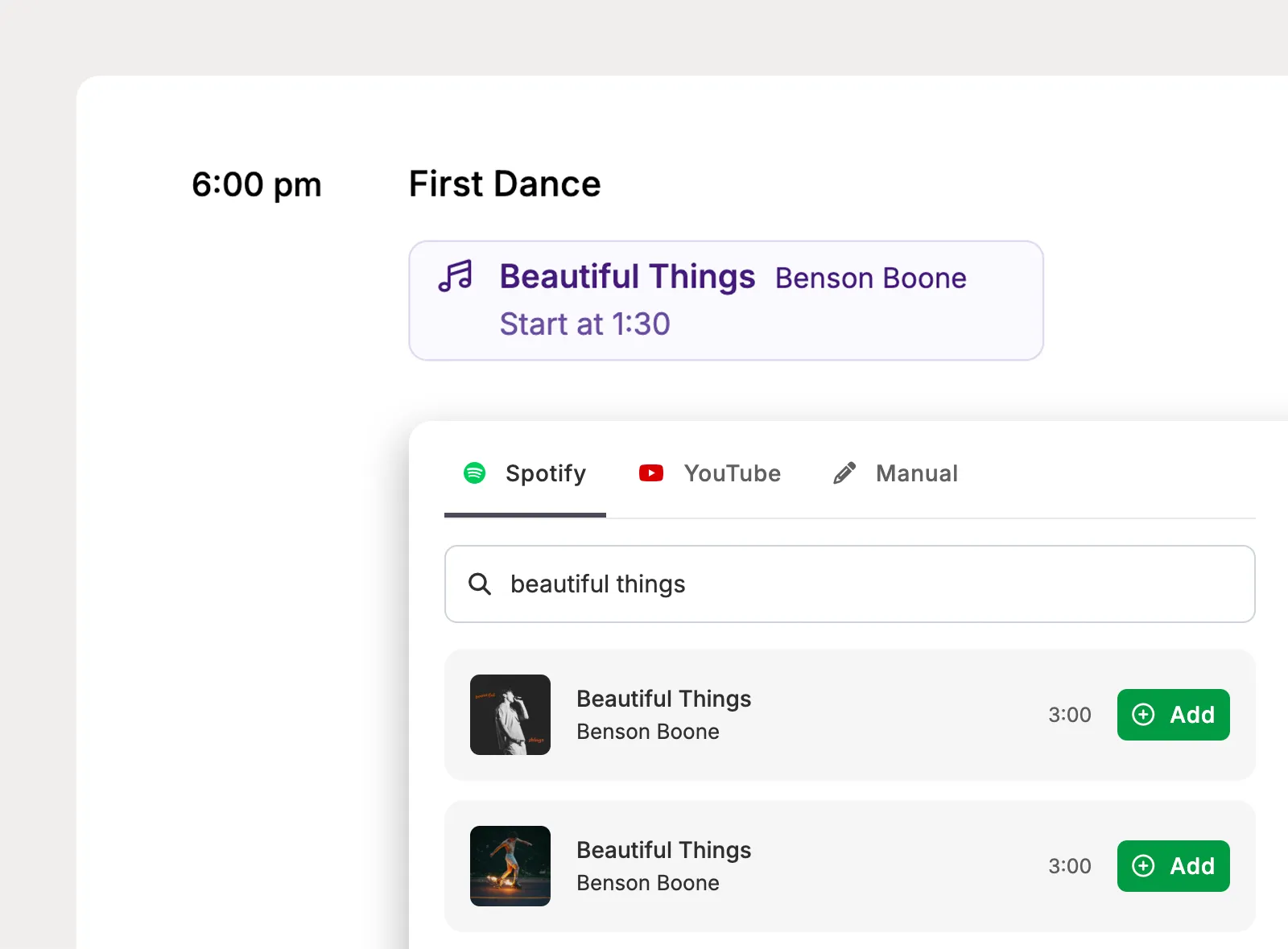
Add songs to timeline items and breakdown sub-items, or mark a moment as needing a song so the selection can be completed later.
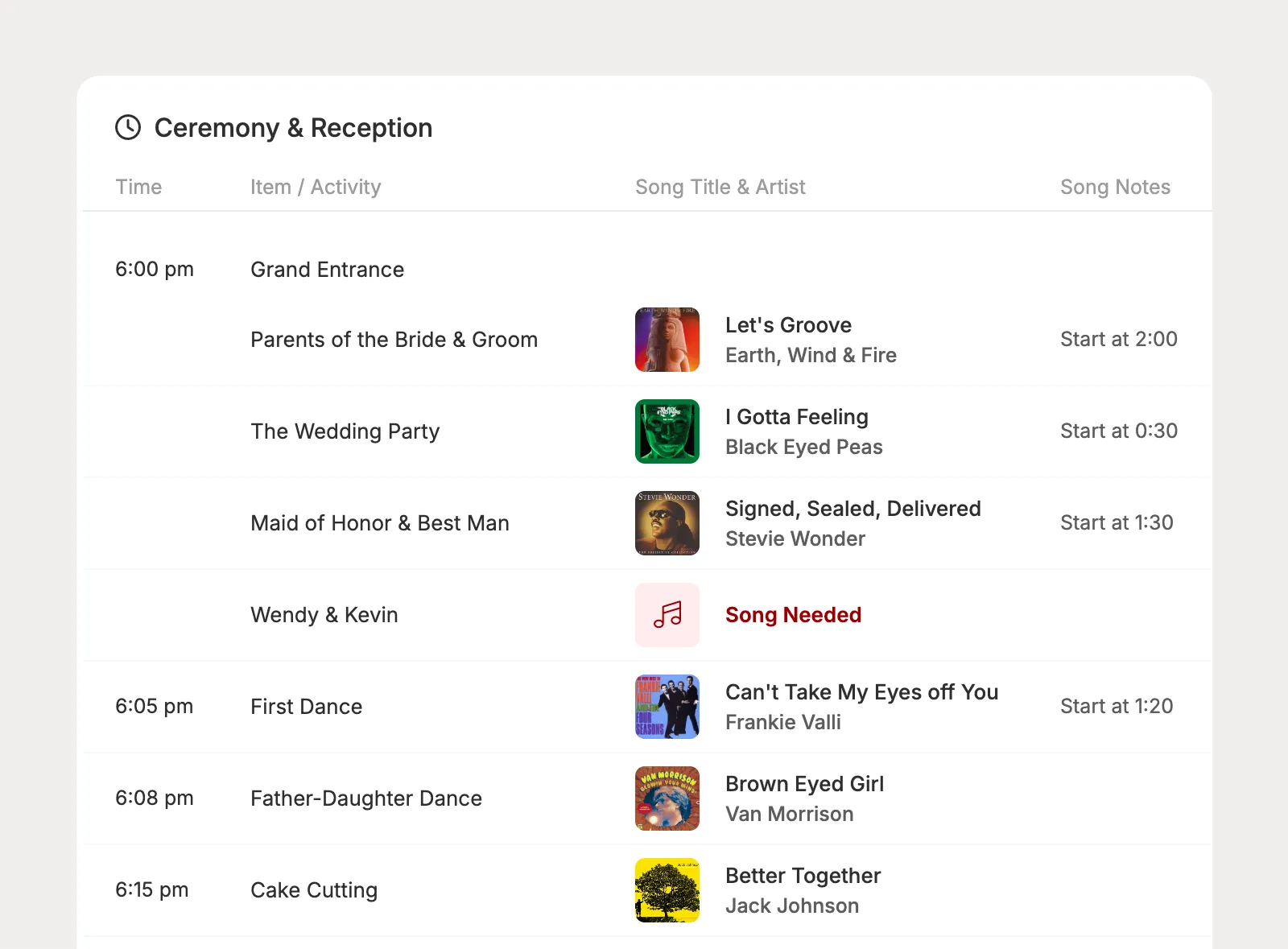
Timeline song needs appear on the Music page, where planners can review what still needs a song and update selections without losing the timeline context.
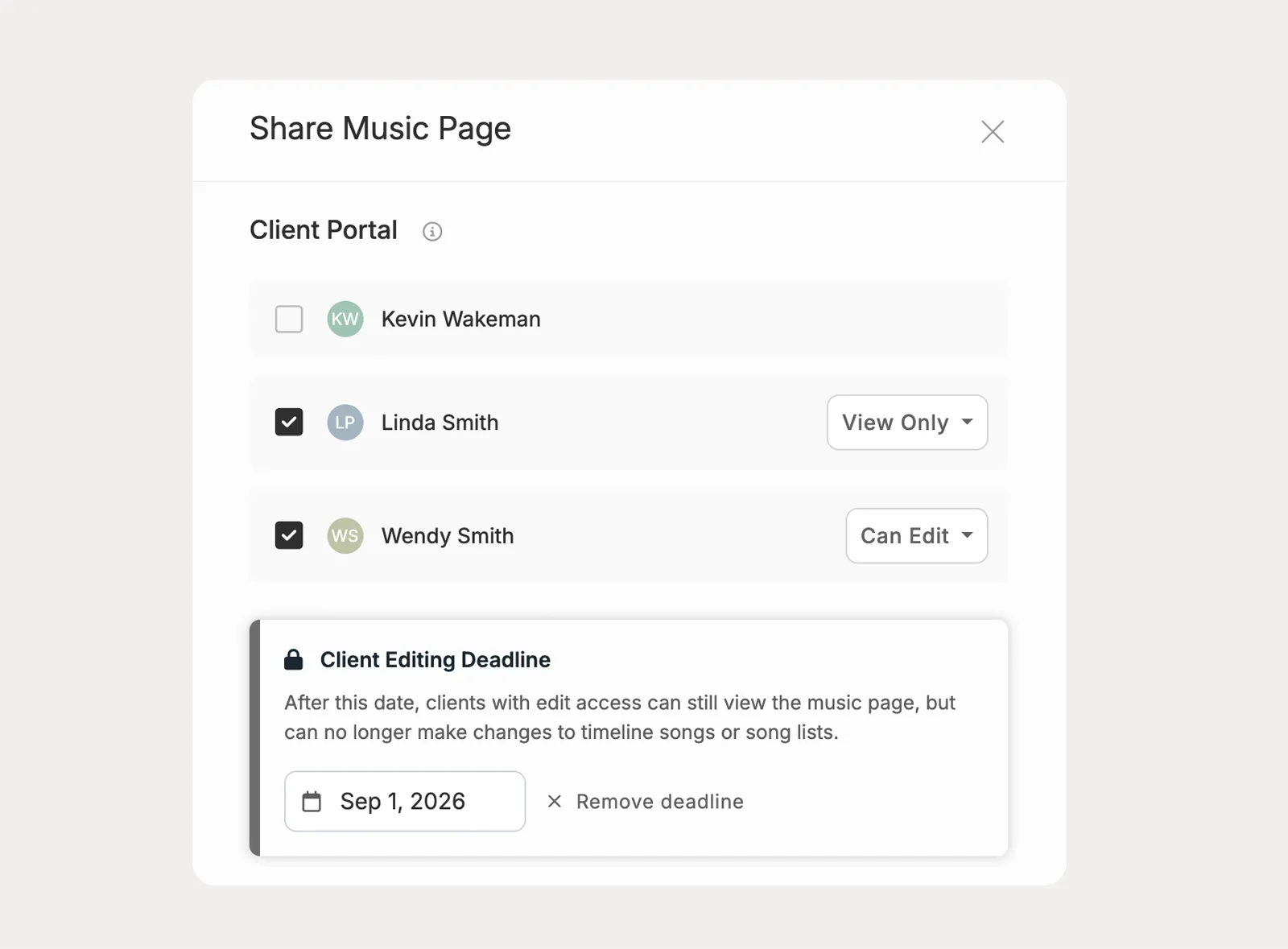
Share the Music page with clients so they can add or update song selections for timeline moments, with an optional editing deadline to keep decisions moving.
Turn the master timeline into focused views for clients, vendors, venues, and your planning team. Share live links, portal views, or branded PDFs so each audience gets the version they need.
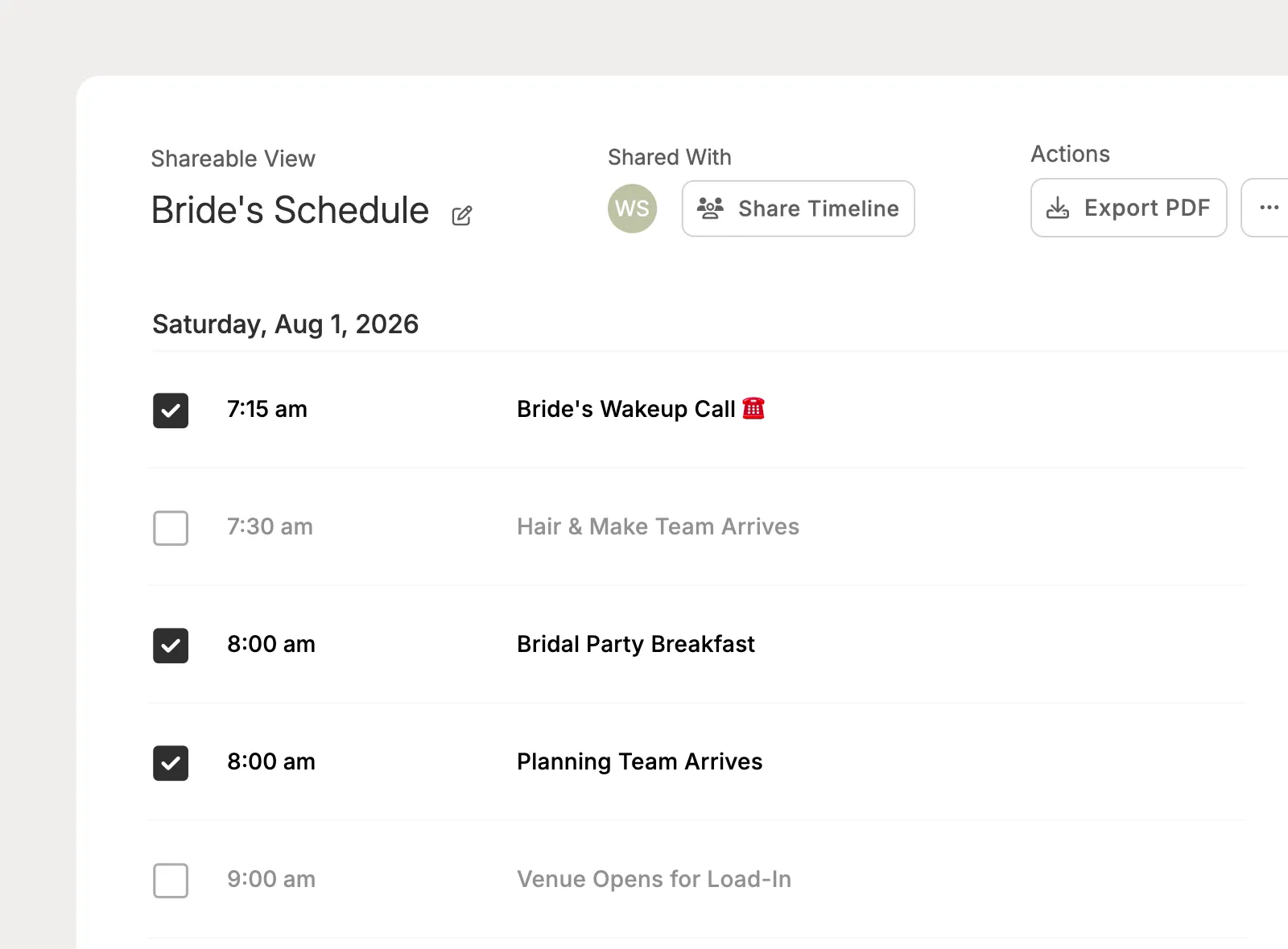
Create Shareable Views by choosing which timeline items should appear for a specific audience, like a client view, vendor view, venue view, or VIP helper view.
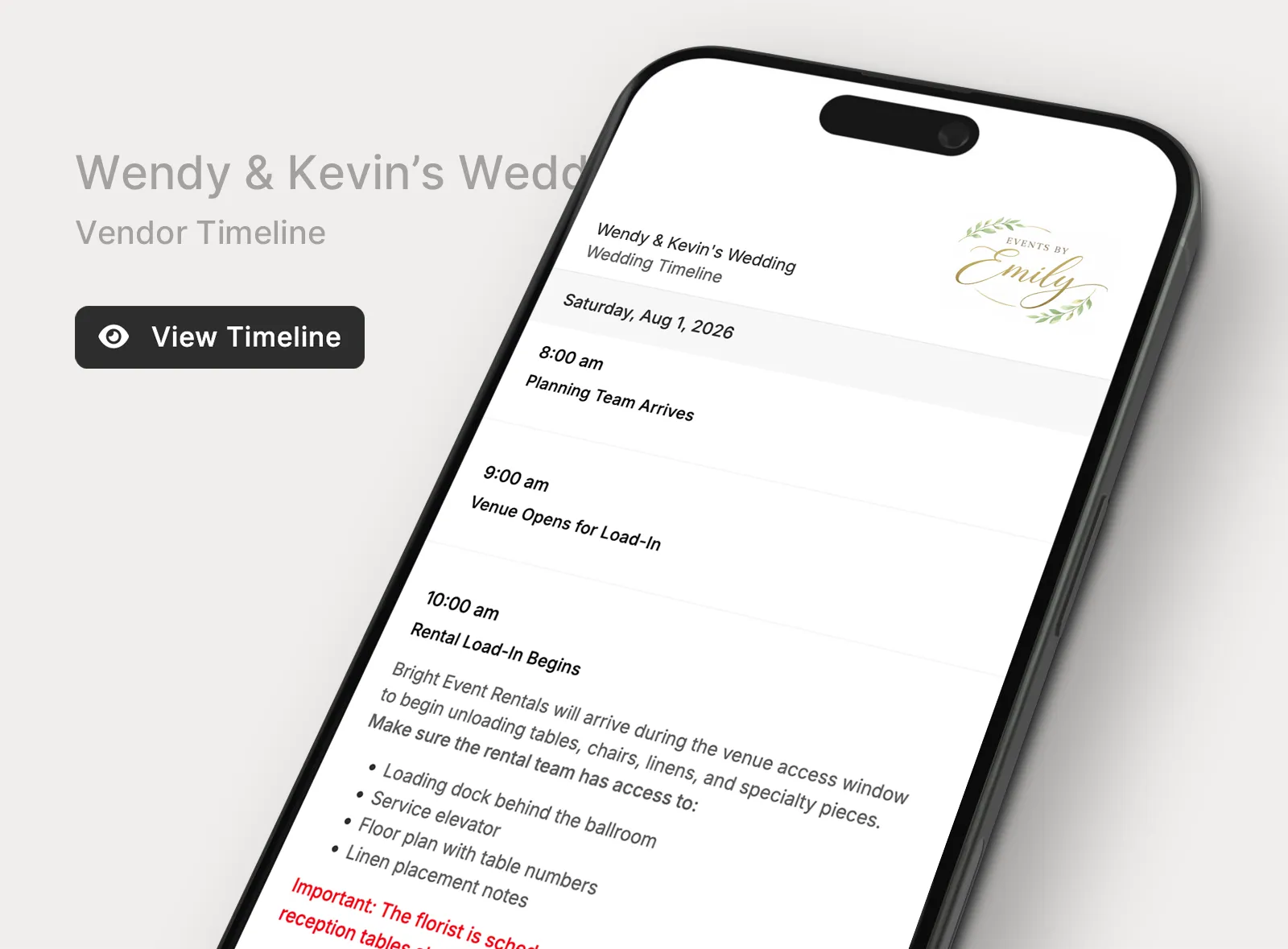
Share live direct links with vendors, venues, or contacts who do not need portal access. When the timeline changes, the same link stays up to date.
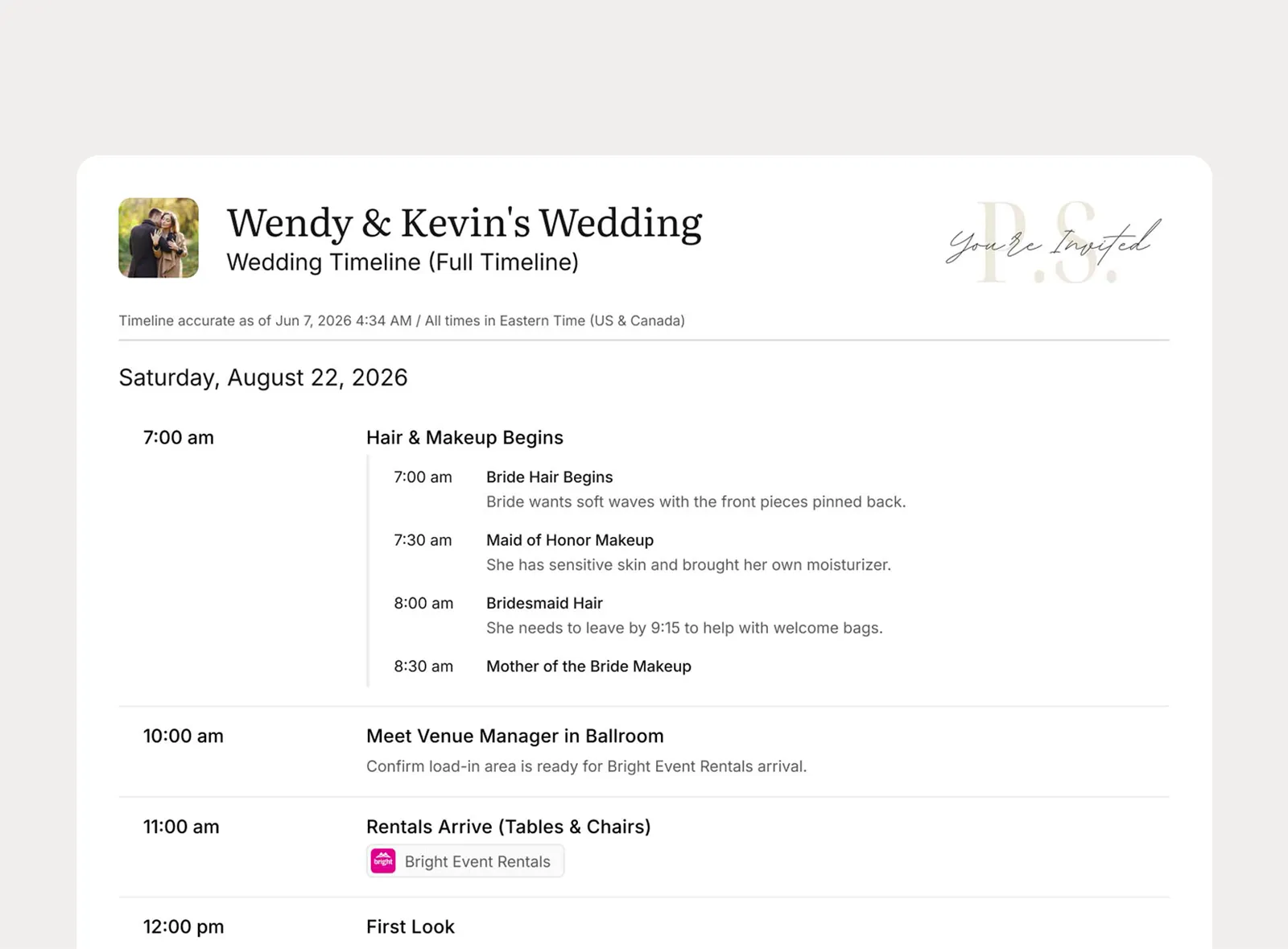
Make selected Shareable Views available in the client portal, or export the full timeline or a Shareable View as a branded PDF with the planner's logo.
Planpage keeps me organized and gives my business a more polished and professional feel.

Planpage has a clean design, it's easy to use, and the customer service has been outstanding.

I love having everything in one place, and it provides a fantastic experience for my clients.